Construction site attendance without a biometric at the gate
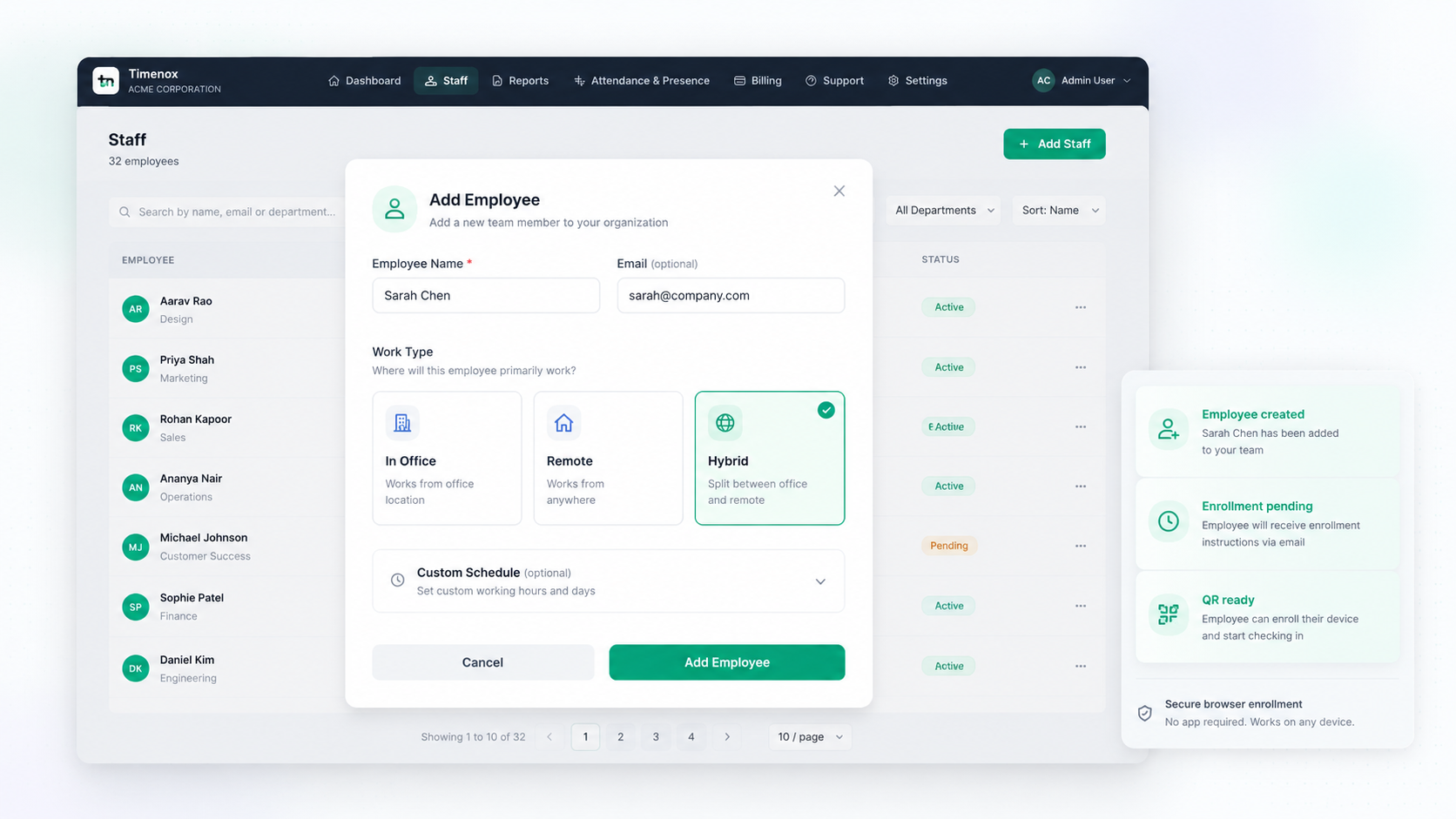
Temporary sites do not keep a fingerprint terminal for long. Timenox records who checked in on which job site, with location verified at attendance time, an enrolled device, and an optional photo. Crews use a browser — no employee app to install around dust, gloves and shared phones.
Free for up to 10 employees • Location verification on Grow and Trust
Why construction attendance falls apart
A muster roll at the cabin is easy to fill in for someone who is not there. A biometric machine at last month's gate is already on the wrong plot. Contractors, casual labour and shifting crews mean the “employee list” changes faster than IT can enrol fingerprints.
Supervisors need a record they can defend at payroll time: this person marked attendance at this site, from this device, with a location reading taken then — not a pin dropped all afternoon, and not a paper sheet completed at 6pm.
How a job-site check-in works
Same attendance product used on offices and hybrid teams — applied to a site, not a reception desk.
Give the site an identity
Create the job site, set working hours, and — on Grow and Trust — a location radius. Print a QR for the cabin or share a secure attendance link. Multiple named sites under one dashboard is an Enterprise capability.
Crews open a browser
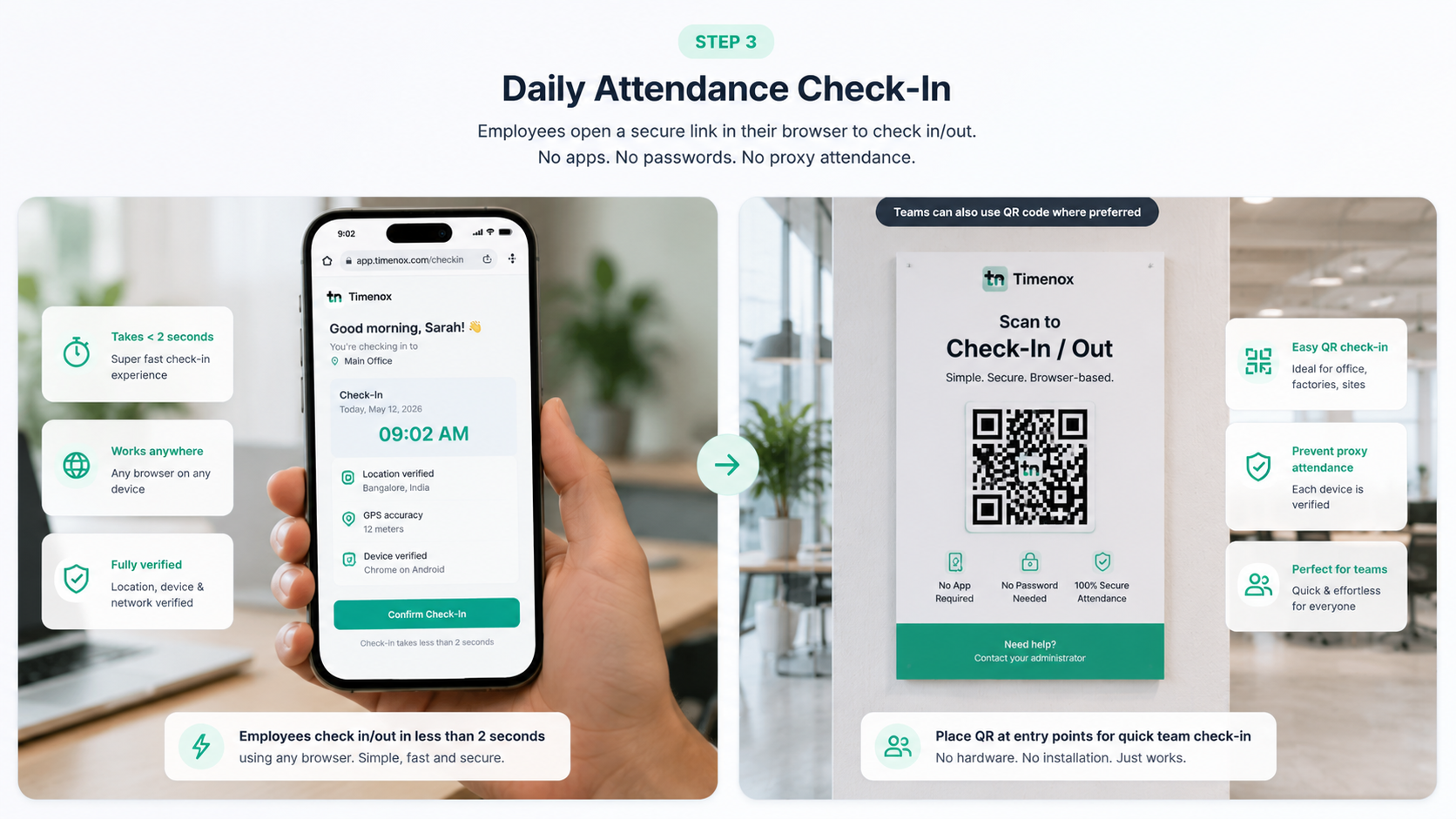
No app store, no MDM package, no shared fingerprint plate. People check in on an enrolled phone or a tablet at the cabin. QR attendance is the method; the site is the place.
Location is read at that moment
The browser asks for location permission. The reading is stored with the check-in and compared with the site radius. Check-out gets its own reading. Between those two events Timenox is not looking — see how GPS attendance works.
The record is usable later
Device binding makes buddy punching harder. Optional photo capture can be switched on for check-in, check-out, or neither. Export attendance for payroll tools — Timenox does not run payroll itself.
What this looks like on a construction programme
A tower plot this month, a road package next
Retire the old site's QR when the job ends. You are not recovering a wall-mounted scanner from a demolished hoarding.
Contractors and your own payroll on one record set
Add people as employees in Timenox. The product does not invent a separate “subcontractor portal”; you still get who checked in, where, and on which device.
Shift start at the cabin, not a head office gate
Set hours and grace per location. Night pours and weekend overtime stay on the attendance export instead of a WhatsApp screenshot.
No shared fingerprint plate on site
Gloves, dust and a queue at a dirty sensor are a bad fit. Browser check-in is attendance without biometric hardware.
Office staff still use Timenox
Project managers in the office, hybrid QS teams, and site labour can sit in one attendance product. Remote office attendance is not a reason to switch products.
Reports, not a live worker map
The dashboard shows who has marked attendance. It is not a fleet map and not continuous GPS. Live office screens are a different feature for indoor presence displays.
What is collected, and what is not
Construction sites are not an excuse for all-day tracking. Location is evidence attached to an attendance event. Tell your crews what is captured. Detail sits on our trust and privacy pages.
On a check-in
- Time of the attendance action
- Location reading at that moment, if verification is on
- Enrolled device identity
- Optional photo if you enable it
Not part of Timenox attendance
- Background location or route history
- A live map of everyone on the plot
- Biometric templates stored from a gate device
- Bank/payroll disbursement
Need field operations too? Explore Timenox 360 for field attendance, assigned sites, visits and task workflows.
Feature pages this sits on
This URL is for construction operations. The mechanics live on existing Timenox pages — we are not restating them as a second homepage.
Part of the Timenox ecosystem
Managing field teams as well as employees?
Timenox is the attendance layer on a construction programme: who was present at which job site when they marked attendance. Organisations that also need assigned sites, visits and task workflows for field crews use a separate product for that work.
Timenox
Attendance & workforce management
Verified check-ins for office, remote and hybrid employees — QR and location-verified attendance, shifts, leave, reports and workforce records. You are on it now.
Timenox 360
Field workforce operations
A separate platform for teams working beyond the office — field attendance, assigned sites, visits and task visibility for mobile workforces.
Explore Timenox 360Mobile apps
Both products are built by the same team, so organisations can run attendance in Timenox and field operations in Timenox 360 without either product trying to be the other. If you need the two connected, talk to us about your setup.
Construction attendance questions
Does Timenox replace a biometric machine at the site gate?
It replaces the need for a shared fingerprint or face terminal at the entrance. Crews check in from a browser on an enrolled device using a secure link or a QR code for that site. There is no biometric hardware to install, power, or move when the job finishes.
Does GPS mean you track construction workers all day?
No. Location is captured when someone marks attendance — check-in and check-out — and is compared against the radius you set for that site. Timenox does not run in the background, does not store a movement history, and does not show a live map of where people are between those two actions.
Can one company run attendance across several job sites?
Yes. Each site can have its own QR code or link, working hours and location radius. Seeing those sites together on one dashboard is an Enterprise capability. Start with a single site on Grow or Trust if you need location verification first, then talk to us when you need multi-site rules.
What if a job site has weak internet?
Check-in needs a network connection. The data used per check-in is small. Sites with poor coverage usually put a basic Wi-Fi hotspot at the cabin or ask people to check in when they have a signal. Timenox does not store offline check-ins on the device to sync later.
Is this the same as Timenox 360 for field crews?
No. This page is about workforce attendance: who was present, at which site, at check-in time. Timenox 360 is a separate product for field operations such as assigned sites, visits and tasks. Use Timenox for attendance records; look at Timenox 360 only if you also need that operational layer.
Run site attendance without dragging a scanner to the next plot
Start on Free for a small crew, or trial Grow to add location verification at check-in.